Which Nationality to Pick? How to Pass OKX KYC with a Passport
Your OKX account is set up, and identity verification now wants a nationality and a document — but you're abroad and holding only a passport, or an ID from a country you no longer live in. Can you pass, which nationality do you pick, and does one wrong upload sink the attempt?
OKX (formerly OKEx) KYC isn't a "one country's ID only" system — a passport is actually the most trouble-free choice here. For anyone registering internationally, this guide covers which document to use, how to pick your nationality, how to do it step by step, and how to recover if you're bounced.
What's in this guide
01Why this step is unavoidable
KYC stands for "Know Your Customer" — identity verification. Every legitimate large exchange does it; it's a hard anti-money-laundering compliance requirement across countries, not a hurdle OKX set up just for you.
The practical impact is direct: an unverified account can't use most features — no deposits, no P2P buying, no withdrawals; you can basically just log in and look at the interface. So whether you want to buy your first coin or withdraw coins out, you have to clear this gate first. It's a one-time step: once done, normal use never asks for documents again.
02KYC levels: how far do you need to go
OKX verification is tiered. Simply put, two layers:
- Basic verification (L1) — fill in name and document number, upload the document, do the face scan. Clearing this tier covers a beginner's everyday deposits/withdrawals, P2P buy/sell, and spot trading.
- Higher-level verification — on top of basic, done as your trading and withdrawal limit needs grow. When your limits run short, the system prompts you to upgrade; otherwise you can leave it.
For someone just getting on board, the goal is clear: clear basic verification first, so you can buy, sell, and withdraw — don't fixate from the start on whether to push for the highest tier.
03No national ID card — which document do you use
Match the document you have against the table below (what you can actually pick is whatever the verification page lists for your country of residence):
| Document type | Who it's for | Notes |
|---|---|---|
| Passport | Anyone with a passport (top pick when registering internationally) | Internationally standard; most recommended |
| National ID card | Anyone with a national ID | Works fine |
| Driver's license | Where applicable | Supported in some regions |
| Residence permit | Residents in some regions | Supported |
Why is a passport the top pick? Because it's an internationally standard document — its fields are uniform, machines read it smoothly, so automated checks generally go through with less friction. If you have both a passport and another ID, use the passport. Which documents are supported is ultimately what the dropdown on your verification page actually lists — the platform shows the documents currently accepted for the country or region of residence you select.
04How to pick your nationality so you don't get stuck on step one
Getting stuck here usually means folding two different questions into one: the "Country/Region" box at signup and the nationality you enter during KYC aren't asking the same thing.
Keep them apart: at signup, pick the country or region where you live now — OKX's own help page says this usually isn't your nationality or the country that issued your passport, so don't choose by nationality. In identity verification, enter the nationality your document shows. Which documents you can use depends on the list the verification page gives for your country of residence.
- If you plan to verify with a passport, select the nationality on that passport, honestly.
- If you use another country's ID, select the nationality that ID shows.
- Same logic for any document — the verification step follows the document you'll actually use, while the signup region still follows where you live.
There's no "which nationality passes more easily" shortcut here — filling it honestly is the most reliable. Picking a nationality that isn't yours will fail because it won't match your document, wasting your effort. Holding one country's passport while living somewhere else is perfectly normal, so there's no need to change your signup region to "match" the passport. If the region you chose at signup doesn't reflect where you actually live, contact online support and explain.
05Doing it step by step in the app (the face scan needs the app)
The KYC face scan uses the camera, so we'd suggest doing the whole flow in the OKX app — smoother than the web. If you haven't installed the app yet, see App download first, and download only from the official okx.com, not an unknown link.
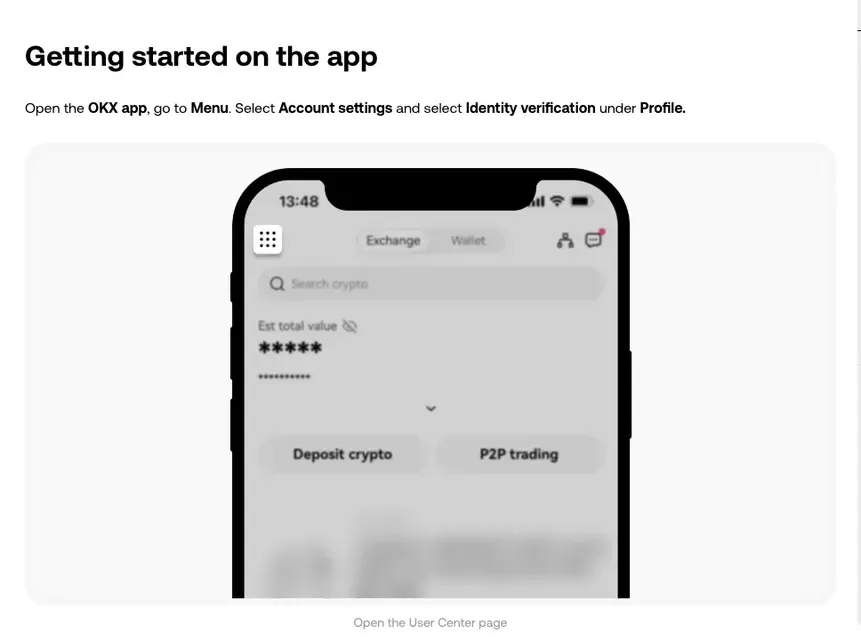
Open the app, find the verification entry
OKX app home → tap Menu → Account settings → under Profile, select "Identity verification."
Tap "Verify now," choose the document type
Inside, tap "Verify now," select your nationality/region first, then the document type. This is where the table above comes in — passport first. Once chosen, the system tells you what to upload next.
Enter your name and document number
Type it exactly as printed on the document — the name spelling and number can't be off by even one character. For a passport, mind the order of given/family name and any middle name; go by the document.
Upload the document photo
Follow the prompts to shoot/upload the document page (for a passport, the page with your photo). Some documents need both sides. Photo tips are in the next section.
Face scan
Last step: the app uses the front camera; follow the on-screen prompts to put your face in the frame and turn your head or blink. In good light it's done in seconds.
Submit, wait for review
After submitting, wait for review. OKX's English Help Center says it reviews applications within 24 hours of submission. You'll get a notification when it passes, and your account can then buy, sell, deposit, and withdraw normally.
06Document + face scan — get these right and get bounced less
A common reason for rejection is a poorly shot photo. Spend a minute on these and save yourself re-upload time:
- All four corners in frame: get the whole document in, don't crop the edges, and don't let a finger cover key info.
- No glare: the laminate on passports and cards reflects easily and blurs key characters. Don't shoot facing a light or a glass reflection.
- Daylight near a window, even lighting: natural light is most reliable. If you can't, use a soft lamp from the upper side, and don't let harsh light hit the document directly.
- No beauty filters: a beauty camera alters the details of the document and your face, causing the match to fail outright. Use the system's default camera or the app's capture function.
- For the face scan: take off sunglasses and hats, keep hair off your face, keep the background uncluttered, face the camera, and follow the prompted movements.
When you run basic KYC with a passport, the most common reason for a rejection is glare off the passport laminate covering the key info, which the system bounces outright. The fix is simple: move to a window, tilt the document to avoid the glare, and reshoot; for the face scan, just turn your head left and right as prompted. A re-upload goes back into review; for the timing, see the step-by-step section above. Glare is the easiest trap to step in, and reshooting with better light basically solves it.
07Rejected? Don't panic: common reasons + fixes
Getting bounced is very common and doesn't mean your account is no good — find the cause, fix it, and upload again. Match against which one applies:
| Rejection reason | How to fix |
|---|---|
| Document photo has glare / is blurry / missing a corner | Move to better light, avoid glare, get all four corners in, re-upload |
| Entered info doesn't match the document | Check the name spelling and document number character by character, correct, resubmit |
| Document expired / not on the supported list | Use a different valid document, passport first |
| Face doesn't match the document | Remove obstructions, improve lighting, redo, no beauty camera |
| Nationality entered at KYC doesn't match the document | Re-select the nationality your document shows; if it won't reconcile, contact online support |
If you're still stuck after a few re-uploads, don't keep blindly trying. The OKX app has online support (usually in "Help Center" or the support entry at the bottom right of the page); explain your situation and let a person help spot which part went wrong — faster than guessing.
08Registering internationally — a few more things to keep in mind
Beyond the document itself, there are a few things worth knowing in advance:
- Check that OKX serves the country you live in: OKX's Risk & Compliance Disclosure lists the places where it doesn't offer services — for example Canada, Hong Kong, Japan and India, plus certain US jurisdictions. If the country of residence you picked at sign-up is on that list, sign-up or verification gets blocked outright, and switching documents won't change that.
- Verify with your own real identity, on the matching document: don't borrow someone else's document. If the account's identity doesn't match you, withdrawals and account recovery later become a major headache.
- Mind the laws where you live: countries and regions differ greatly in how they treat crypto. Whether you can legally take part, and whether you need to report taxes, follow the rules where you live — that part is for you to judge.